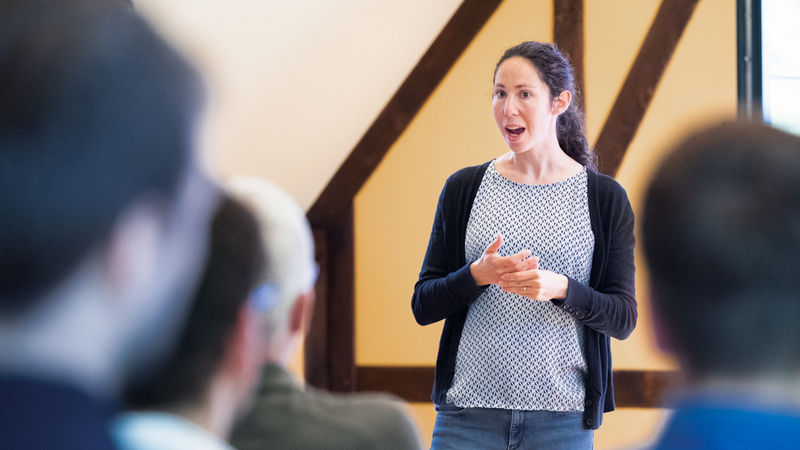
Good afternoon, everyone. Thank you for being here. Let's start with a very quick question. How many of you have used passwords in the last few days to do anything on the online apps, websites, etc.? Raise hands. Quite expected.
So, what if we go to the world where you don't have to use passwords, you still feel secure, and it's much more intuitive, right? That's what we are here for. We are going to set up the context of authentication at eBay today, and then we are going to walk through the passkeys journey at eBay. Then we are going to share about how we scaled it to millions of our users, what worked and what didn't work. More importantly, what deployment best practices you can take back to your organization today at the end. It is all about the global scale, real numbers, and honest lessons.
So, let me set some context here. eBay is an online global marketplace, hundreds of millions of users, 190 plus markets, 25 plus years in business, right?
So, we never had a single authentication mechanism for our users. It's always been a portfolio.
Passwords, by default, social logins, Apple, Google, Facebook, etc., for convenience.
KBAs, authenticator apps, push notifications for step-ups, risk mitigations, right? Biometrics on native apps, WebAuthn, etc.,
etc., etc. All of these are trying to balance security and usability so that we can provide the best possible experience to our users so that they feel safe and trusted on the marketplace. Let's talk about the passwordless journey at eBay. It's not something recent. We started with biometric authentication on the native apps way back when the FIDO UAF first protocol came into picture. Then we had push notifications, based authentication, again, on top of the FIDO specifications. Then WebAuthn.
As you can see, in all the journey, one thing we learned is that the users are ready to change their paradigm of moving away from passwords only when we give them a way where they feel intuitive, as if they are unlocking their devices, as if they are used to using touch ID, face ID, fingerprint, etc., across all the platforms. Then comes passkeys.
So, what is passkeys? The three bullet points on the screen pretty much encompass everything you need to know about passkeys, right? It's an authentication mechanism.
So, first and foremost, it has to be secure. Passkeys are phishing resistant. We'll just see in a bit.
Secondly, passkeys bring the same user experience, as intuitive as it can be, on all the platforms. It's as good as I'm unlocking my phone. I don't have to learn a new way.
So, they are super user-friendly. More importantly, the latest technology and the browser and the password manager support have made it possible to discover passkeys, and users do not have to type even a single character on the website to authenticate.
Last, but a very important thing, is they are based on industry standard, which all the major players in the industry have come together and formed, so that it's a strong, solid foundation, but a dramatically better user experience. That's what makes it scalable, and it's all about integrating into the ecosystem. It's not a one-off protocol. Let's dive into the architecture, and I'll keep it really simple so that we set the stage for the rest of the talk, okay?
As usual, whenever there is an authentication method which a user needs to adopt, there's always a registration ceremony, right? So, once the user at eBay authenticates, we ask them, hey, do you want passkeys on all the platforms? And if they say yes, the registration ceremony happens, and seamlessly, basically, a private key gets established on the client's device. It's stored on securely on the device, right? And eBay only receives the public key.
This may seem like a very standard asymmetric cryptography, but what passkey makes it magical is that now the cloud providers sync your private key across all the devices you're logged in with the same cloud provider credentials. Again, eBay never receives the public key, right? Now that this is set up, how do you sign in? When a user attempts to sign in, server sends a challenge.
User, just as the biometric or something on the device, the client signs the data using the private key. eBay only receives the signature. We use the public key, we verify it, and you are into the system as seamless as possible. With that in mind, I'll hand over to Neeta to talk about the passkeys journey at eBay.
Thank you, Anand. So, now that we have seen how passkeys work, the harder question is, how do we get millions of users to actually use passkeys?
So, now we're going to talk about some four best practices that we had at eBay, which actually helped us scale passkeys to millions of users. And we call them four Ps of passkey.
So, there is prime, there is prompt, there is pattern, and there is personalized. And each one of this addresses a specific adoption barrier at eBay. We'll also talk about a fifth bonus P when we look at the data, and I'll come to that later.
So, the first one is prime. Build trust before the prompt.
So, we started our adoption journey with user research, and the data surprised us. Because the users were getting confused with passkeys and biometrics. Where is my passkey being stored? Is it with eBay? Is it on my device? Is it Apple? Is it Google? And I think that confusion mattered to us. Because if a user sees the system prompt first, without really understanding the value of passkey, they're more likely to abandon the flow.
So, what we did was we built a priming flow, where we explained to user the benefits of passkey. Sign in easier with passkeys. You don't need to worry about your passwords. That helped us build trust. We built first the trust. Then we asked. And then we are more likely for them to get to adopt passkey.
So, that is our lesson number one. So, the next one is prompt. Trigger at the moment of intent. The when matters.
So, how many of you had to recover your account recently? How many of you forgot your password? Did you think, like, oh, wow, that was so fun? More likely the mental model was, oh, god, I don't want to do this again. And that's what this lesson is about.
So, we want to build this prompt at the moment of intent. When user is trying to sign in, they just recover their account. They're more likely to understand the friction and the value prop and more likely to enroll. And we saw that in the data also. Our biggest unlock came from the prompt which we had when users had just signed in to eBay. Moving on to the third lesson. Pattern.
Same UX, every surface. So, what we mean by that is that we want to build a consistent experience across these different platforms.
So, passkeys are being served at eBay on mobile web, desktop web, and we also have a mobile app. Both on iOS and Android. And the users expect passkeys to work across these surfaces. A lot of our customers are starting their flow from desktop web and then they switch to mobile. And the idea is that they it should work for them. And sounds simple. But the challenge is WebAuthn or the FIDO2, the technology behind passkeys is not implemented the same across these flows. And Anand also shared about the architecture.
So, we had to invest significantly in our tech to make sure the experience is consistent across these surfaces. And the challenge is, like, if user uses passkeys and they work only half of the time, it's as bad as passkeys not working at all.
So, consistency is our lesson number three. Now, moving on to the fourth one. Personalize.
Yes, we have a consistent experience across these different surfaces. But we also want to personalize the message to our users based on who they are. Where they are coming from. And when in their user journey are they accessing eBay?
So, who matters? Is it a new user? New users need more handholding, more context. Is it a returning user? Returning user expects less friction. They want to just move faster. Is it a buyer? Is it a seller?
So, they have different value prop. So, we personalize message based on who the user is. Where matters? If the user is coming from iOS, if they are coming from Android. Because different trust cues, different capabilities.
So, we want to use the language, the terminology, the user is more comfortable with more understanding. And that's likely to give us better adoption. And the third one is when.
So, we talked about that one. If a user is trying to recover their account, different mental model. If a user is found something on eBay, they're trying to buy something, they just want to do instant checkout. Different model. We don't want to interrupt them. Because what we also see is too many prompts create fatigue.
So, we want to make sure we have not too many prompts, but prompts at the right moment. So, now we come to our data part. And with all the journey, with all the good lessons and practices, this is where we are in terms of data.
So, today at eBay, we have 100 million plus users who have seen the prompt and who have opted into Passkeys. In terms of usage, we are at 20%. Users are actually signing in with Passkeys. And in terms of our success rate, the Passkeys are much higher. The success rate with Passkeys is much higher than passwords. And what that also reinforces is that Passkeys are not only more secure, but they're also more seamless compared to passwords. In terms of opt-in rate, as we can see on mobile web and the app, it's around 50%. But we are struggling a little bit with the desktop web.
And we'll talk about that. User segmentation for all the users that have opted in, 74% are buyers, 26% are sellers.
Now, this is the most important part of this slide. This is our adoption journey, the numbers from last three years. And as you can see, this is not a hockey stick graph. This is a graph which has compounded over time. And that brings us to our bonus P patients. So adoption at eBay scale takes time. You invest today. And if your leaders are expecting that you'll see results in two quarters, most likely it will probably be year two.
And I think that those are the lessons that we have from today, that yes, invest in building the right prompt at the right moment, personalizing, but also adoption at this scale takes time. So now I'll hand it over to Anand to talk about some of the challenges and some deployment best practices. Cool. Thank you. So those are some real good numbers. But so real are these challenges. As you can see, we have a great user base who have enrolled into Passkeys. The technology makes it seamless. But our usage is still growing.
And on certain platforms, we still see that the users are hesitant to change their ways to access the website. And they still don't find it that intuitive that the way they unlock their phone is the same way they can unlock something on the computer. So that is something where what Nita just mentioned is that beyond a certain point, you need to wait. Sometimes the ecosystem grows itself. And trying to be a forcing function beyond a certain point does not help. So that is one of the biggest challenges we are seeing right now.
Secondly, if you are in the same ecosystem, let's say everything is in the Apple world or everything is in the Google world, Passkeys work flawlessly. But we also have a very common user base where they have a mixed set of devices like a Mac laptop and an Android phone. The technology has advanced. The specification has advanced to make it work. But it's not that seamless. And because this is not that uncommon, we have a large user base which has a mix of devices. We are still trying to figure out how to make it more seamless so that we can overcome this challenge.
The third one is very important. In a regulated market, you have to adhere to MFA strictly for obvious reasons. So will Passkey be a possession factor, an inheritance factor, or both? We would love it to be both because technically it is both. But it's a heavily debatable topic in the regulation.
So far, it's not entered into the rulebook that you can consider it as both. So we often end up showing Passkeys and some other factor like an authenticator app, SMS OTP, et cetera, to adhere to the MFA guidelines just to make sure that we are compliant with all the regulations across the globe.
Now, if Passkey is so good, so simple, right? What if it doesn't work for some reason? This is one of the challenges, which is also an industry-wide challenge, is that if something is so good, how do you have the same secure and usable backup factor, right? So we strongly believe that we as a community and the specifications body can come together to find a good solve for that. If we don't, then what happens is it creates a weakest link in the ecosystem, and that's where all the fractures will go through and try to break your system.
So with these challenges, let's talk about deployment best practices. If you have to go today and scale Passkeys, these are some of the learnings we are happy to share.
First, we didn't deploy Passkeys to all the users at the same time. We did a lot of analysis. We did a lot of user segmentation, geography, kind of the users we have, for example, buyers versus sellers, and we chose a segment of users where we think Passkey will have the maximum impact. We applied Passkeys there first because that's where we are going to get the best of the learnings and probably learn more about the challenges.
Second, very important, when something looks so good, we often overlook on the details part of it because, hey, it's working. Why worry about it? Passwords have been there for decades, and they have a credential lifecycle, right? When they are created, rotated, maintained, when the account is taken over, account is suspended, deleted, etc.,
etc., please ensure that Passkey has a touch point in every single phase of the lifecycle of credential, and unless you have covered it, probably don't launch it because the moment you do that, process will try to take over your system one way or the other. This one is also something where we didn't implement and deploy Passkeys straight away on all the platforms altogether. We tried an approach where we took a small segment, in this example, some time back, three years back, Safari browser in a Canadian website, right? Try to learn there.
Slowly, incrementally move forward on all the platforms you support. Whenever we hit an issue, we try to fix it. Whenever we saw that the users are having challenges, as Nita just showed, we try to personalize it. We try to ensure that before moving on to the next platform, we are providing the best experience to the users on that platform because that can be a learning which can help us gain a share later on.
So, to summarize, always find the right segment of the users to try first. Do not overlook the credentials lifecycle. More importantly, have an incremental coverage for your users.
So, with that, thank you. Happy to take any questions. Perfect. Thank you very much. And we have some questions, at least time for one. And that is a good one, user perspective as well. Do you plan to stop supporting password authentication in favor of passkeys?
So, that's a very good question. And that's a question we have been trying to discuss within the company as well.
So, I would say it's a journey. And that's why we said the first thing is like, let's make sure passkeys work for everyone. They have a good backup. And then we can start thinking about like, how do we start slowly making sure that users are relying less on passwords?
So, when we have a good backup, when the passkeys work very well for everyone, then we can slowly start thinking about like, should we give the user option to maybe, you know, I don't want password on my account. That could be a gentle nudge. We start from there. And let's see how that goes. Yeah.
So, I think that's something we are thinking about. And it's a journey. Perfect. Thank you very much. Thank you.