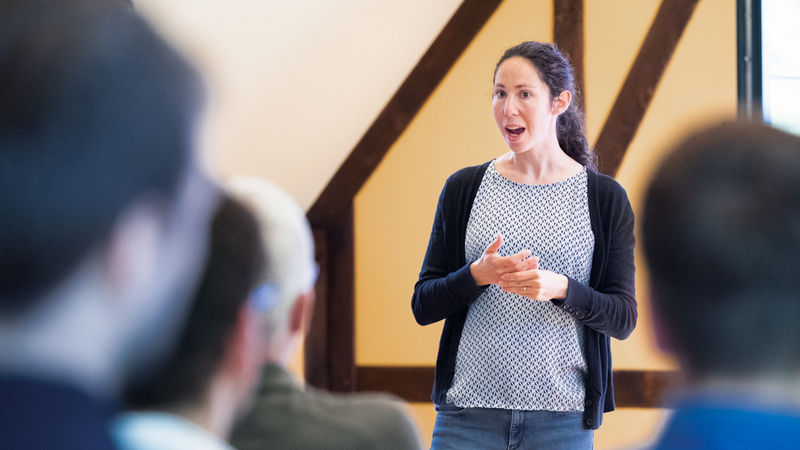
All right, hello, test, test. Hi, so last session before lunch, so we'll make it fun and quick, hopefully. My name's James Naughton, so I've been working at Schenker now for 15 years as the head of IAM for the last 10. And anybody who knows Schenker, we're a logistics company, and we set out about 10 years ago to go passwordless.
And today, together with Andre Priebe, we wanted to do a little bit of a deep dive into how we got there. Okay, thanks, James.
Hello, everybody. Andre Priebe, CEO of iC Consult, system integrator doing identity and access management. That's why we are here. And I'm here to explain to you the why. Why passwordless?
Honestly, you are here in Berlin at the Identiverse. I don't think I have to explain it to you, right? 60% of the attacks are initiated via phishing. Nearly all of them are somehow related to passwords, and credentials are, in general, the attack vector number one. That's very well known. That's why we have to adapt passwordless at scale. And let me tell you a story what at scale means. So I'm in the industry now for nearly 25 years, and in my first years of a consultant, there was a very, very exciting project.
It was about implementing multi-factor authentication based on a virtual smart card technology. Quite amazing thing at scale. Hundreds of thousands of users. And we prepared everything. We enabled the help desk. We make sure the software is installed on a global base. And the day of the, well, go live gets closer and closer. We had friendly users all over the world in all different locations, and it just worked. And then go live. Perfect. The next morning, I won't forget the next morning because China was already working, and incidents came in.
Not a massive amount, but still more than just single user problems. Their authentication was not working. Users were not able to log in and work. Other people, same hardware, same department, didn't have any issues at all. And then we were working on trying to figure out.
And, well, as the day moved on, more and more tickets from all over the world came in. And while we tried to explain to the guys in China that we are working on it and hopefully have solved the problem, until the next working day for them, West Coast started working, and again, users affected. Not a massive amount, but I would say hundreds of users. That's not massive if you compare it to a number of 200,000, but still significant. And what should I say? It get worse. The next day, it got worse. We escalated to the vendor of the software. We were really doing a lot of analysis around that.
And at the end of the day, we brought it down to some cryptographic operations that were for any reason not working on a particular device. Long story short, that was a project where I lost my hair. And that was a project where I learned the hard way what at-scale means. At-scale means if you're having edge and corner cases of 1%, or even 0.5% or 0.3%, that can kill you because it ends up in thousands of persons that are not able to work. And that's something what, from that point in time, I had in mind for every single project where it was about scale.
So now let's look a little bit into the landscape of passwordless authentication methods. Of course, the obvious thing, so if you look to that kind of diagram showing us the security and the usability of these different technologies, there's one thing we have to deal with. And I want to provide a little bit of context before jumping into that. So the password, is it very usable? Is it very secure? For sure not. And a lot of the authentication methods that are passwordless and around are not very resistant when it comes to phishing. MFA fatigue, for instance, when it comes to authenticator apps.
One-time passwords, well, if the attacker is explaining to the victim very well why he should enter the one-time password, he's doing that, right? And then there's a huge promise when it comes to passkeys. Who of you enrolled passkeys already in your organization?
Ah, okay, a few hands are going up, right? There's a huge promise. It's not just the most secure approach. And from my point of view, it's significantly more secure than a smart card, not because of the cryptographic technology, but because of the reduced complexity. But by far the most convenient ones, right? And that's something where we have to think twice, because passkeys, there are a couple of different flavors out there when it comes to passkey. The one is the piece of hardware, the security key, which is convenient.
Well, you have to have it with you. You can't forget it. You have to plug it in or you have to put it on an NFC device and it's coming with biometrics, a fingerprint sensor, which is not working as convenient as face recognition on a phone, for instance, or with a pin that we don't want to have as well. And so there are limitations around that. Then we have the platform authenticators. The platform authenticators that are shipped directly with your operating system.
Secure, of course, yes. But things like replacement of a device is getting painful, right? But of course, there's a solution for that. It's a synchronized passkey. So when it comes to synchronized passkeys, we have, again, two flavors. One are the third-party passkey providers, solutions like 1Password, Dashlane, Bitwarden. So typically all the password managers that are not also providing passkeys, the challenge with them is that when it comes to account, takeover scenarios, it's difficult to understand for your organization, because how does these processes look like of these providers?
How do they change over time? Then usability perspective, installing that kind of software as a browser extension for the end user might not be fun. That's why I would say typically the synchronized first-party passkeys making the race, provided by Android, by Apple, and are likely a very convenient thing. But of course, also there, if you compare the cross-device flow, so I'm on my Windows notebook and want to log in via my passkey on my iPhone, it's slower than a password from a password manager. So also there's a drawback, but that doesn't play any role.
The thing is, we are trained to use a password since the very beginning of our very first situation, which we came up to a notebook, PC, whenever we came in touch with IT at all. So it's something that is deeply in our habits. And that's the thing we have really to be aware of when changing something, when changing something at scale, getting beyond that kind of resistance that is naturally there. For the user, it's about trust. It's about changing something, what they were doing every single day in their whole professional life. Then it's about the edge and corner cases.
As explained before, 0.5% might already literally kill you if you're having a rollout at scale. And the last thing I would like to highlight, and James, that's something where you also will cover that, be aware even with passkeys around, there might not be the silver bullet that is fitting perfectly for all scenarios in your organization. So having flexibility is a quite, quite important thing.
So many, many challenges. And now I think we are all very excited to hear how enrollment at scale can look like.
All right, thank you, Andre. So all of those great ideas. I'm gonna preface this. Passwordless for us includes anything that's not a static password. So we also include TOTP. We'll talk about that. But I guess I wanna think about how we thought about this. So at Schenker, we have got about 80,000 direct employees working for us. And another 30 or 40,000 knowledge workers as extended workbench, like the colleagues at IC Consult. We've also got a converged platform with customers. We've got robots. We've got chatbots. We've got shared.
We've got a huge pool of users in one central converged platform. What does passwordless mean? It means we have to understand that population by setting a goal. So we wanted to set about secure, usable access. The solution is passwordless. And we then went about understanding our populations. We have blue collar workers. They don't have a device. We have people who work for us for one shift at a time. We have people who have no ability to access digital resources on customer sites.
So the first thing we do, and the thing I can encourage everybody to do when they start to go on this journey, is to identify your population, the constraints, who's owning that, so you can work with them. Because once you've got a backlog, you can then start to think about the value that you can generate from those different areas. And you can go into some form of solutioning specific to that problem. I'm gonna go through two use cases in a second, where we specifically go through our white collar, our customer journeys, to get to a very, very high level of passwordless.
My appell here is that we work on the design phase first. Usability, the ability for people to be able to find a good way through the journey. And then that rolls straight into, with a bit of A-B testing, some development, you verify it, you iterate through this. So not waterfall, more iterative. You come to a rollout phase. And the way we've been successful with rolling out passwordless to our populations is by having a staged rollout approach. So we always deliver a capability as an opt-in.
Usability should help us to get people, those early adopters, to pick that technology up and start using it. They start talking about it. We don't do a lot of marketing. Then after a certain amount of time, we change the default from opt-in to opt-out. We can get that next wave of people. With that opt-out, then we can figure out, ooh, have we got issues? Have we got people that have got challenges? And at some point in time, we have to make the decision to make a baseline. That is now the new standard. And we move on, okay?
But most importantly is that at every single step in this whole process, we're working with the business, we're working with the users, we're working with the support organization to find out if there's something that we have not identified. If we go through the opt-in, opt-out mandate kind of steps, then we can pick that up very early. We can stop rollouts. We can delay them. We can change requirements without impacting the business.
So if anybody hasn't started on their passwordless journey, the only thing I can encourage you to do is to think about working with the business to find a single population, a single use case to try and deliver some value. Then the two use cases that we've got, we start with our white-collar population. So this is anybody who has basically like us. They've got a nice jacket. They've got a computer. They've got a phone. We started our white-collar rollout back in about 2018. The first thing, we had to grant them some form of additional credentials.
Everyone knows that as multi-factor authentication. I don't like the term. We've just got credentials. We've got a password. We've got a push to a mobile app. We maybe have a passkey. So we started that when we rolled out strong and risk-based authentication in 2018. All we did was enable it with the opt-in. So we didn't mandate it. We had opt-in. We got about 40% pickup very, very early.
2019, we changed that to actually grant people more value by removing the requirement to have to use your static password at all during the login flow. So they could use passkeys at the end of 2019, and they could also use the mobile app, which we have as Ping ID, to just go through with the local biometrics and some risk assessment to log in to most systems with a certain level of risk associated to them without ever using their static password. We then figured out, corona came, the acceleration that we didn't need to go through the opt-in part. We just went straight to mandate.
Anybody who hadn't enrolled for multi-factor authentication just had to do it. It was a little bit of a pain there, but that was circumstantial. Everyone probably went through that here. And very quickly after that, we decided that we want to go further. This friction that we were introducing to many of the different use cases we had, especially with web-based SSO, was too high.
So we did more work to try and find out how we could do continuous evaluation, how we could get to a more risk-based setup where you didn't need to authenticate everybody, just authorize them if they had a session, and continue to extend that if the variables, if the signals were still in the green. 2023, so we're about five years after we started with MFA, we officially deprecated our static password for all modern web-based SSO integrated applications. We officially published that with the CISO.
We went through and we told the application owners, we told the users that we are not going to support your password very much longer. It's still three years ago. And then we enforced the password list. So we now mandated people. We'd had to opt in. We had pass keys. We told people about the static password going away. And then we mandated this technology of password list.
For us, for the white-collar population, it's the Ping mobile app and it's pass keys. And I don't care what kind of pass key, to be perfectly honest, anything is better than a static password. And actually just a couple of months ago, we have officially decommissioned the password from being usable on all of our web-based SSO applications. Actually impacts about 150,000 of our users at the moment across 400 technically integrated applications. And we've now got a 70% adoption rate on some form of pass key across that population. So that's the journey that we did there. It took a while.
It's totally different to what we did with our customers. About two years ago, two and a half years ago, I sat down with our business and the IT and said, we need to move away from passwords for our customers. And the first reaction was, no, you don't. This logistics, go away. Everybody needs a password. Was completely opposite to what I had expected. A lot of our competitors have introduced this. You can use an email to log in. Everybody knows this from other applications. Copping a cold is one of them. You don't have a password, you use an email TOTP. That's better than a static password.
So we sat down, we had a huge level of resistance. So we worked with the business and tried to find a solution that would help bring the business and the users and the IT together. Our customer facing IT helped us a lot here. And we converged all of our unauthenticated to authenticated journeys into a single journey. We no longer have a registration flow or a profile recovery flow or a login flow. We've just got a unknown to known. And if you start with the registration and you type an email that you've already used, then we just authenticate you.
If you're kind of locked out and you don't know how to get access to your system, then we send you an email TOTP, but you don't need to set a new password. You're just using the system. And that's allowed us to now also move the password out. Our registration for new customers no longer include setting a password at all. They can go back and opt in if they need this for other technologies, but for all of our web-based SSO and 95% of our customer facing applications, that's sufficient. That impacted a half a million users, approximately.
And we were able to do that with a six week rollout period. But the business was so happy after the first wave of rollout on week one, they sat down and together we decided to accelerate the rollout from six weeks to two weeks. The business thought that this was really fantastic. We identified some holes. It was okay. They had some extensions, but we were able to opt in, opt out mandate, exclude them. And the result is three months after the rollout, we had reduced our customer service calls from the customers for everything from unauthenticated to authenticated by 25%.
So that huge resistance we had 18 months earlier through to the actual delivery time and assessing what our service calls were, ended up providing a huge amount of value to 99.9% of our customers. I guess everybody has been through their own journey. And so I would like to just finish off because the time is ticking with three thoughts. I don't really mind what people say, but anything has got to be better than a static password.
And so I think we should try and work with the business to understand where we have got areas we can improve, populations that we can support, and really focus on a usable journey to bring people from a static password through to static passwords. From a static password through to some form of non-static password, whether that's an email TOTP, a mobile app, if you've got a push on your own app, if you've got passkeys. I'm of the opinion, the more potential options you give a user with a little bit of usability, you can get them to be very, very, very secure very quickly.
And the effort is not that high. And last but not least, the only thing that you shouldn't do is leave here without trying to find your next step. I talk to quite some people at conferences like this and with some customers through IC Consult and other areas, and it's really surprising that there's a lot of customers not sitting about and setting to find that next step to get rid of static passwords. And I think that is for everything. Thank you very much. Thank you.
Thank you, Jay.