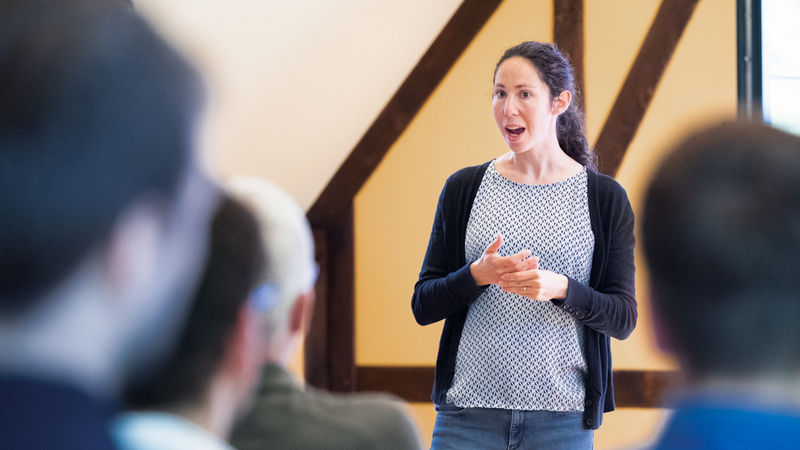
Yes, you can hear me good. So, my career in identity access management has been governed by my surname, basically. I am the walking guest account for everybody, so it's good for Martin to bring me in and see how many examples of me there are.
So, what I'm going to talk to you guys today about is the considerations that we need to make when we have both IT and OT environments. And I thought I was looking for a good cinnamon or a metaphor, and one was in a kitchen where you have then the OT fast-paced producing things for the kitchen all the time. And then you have the office IT, which is a little bit more laid back. They need to do the books, but it doesn't need to be always. They don't work the weekends. They don't work the nights. They take it easy.
And you might pass an order slip between the office and the back end of the kitchen, but you definitely don't want the chefs working on the spreadsheets, and you don't want the accountants anywhere near the fryers and the cooking. So, this is sort of a presentation about how we do that.
Now, before we get into the details, I just want to check, is there anybody from this country here today? Ah, one person right at the back.
So, do you remember this? It happened last week, a little bit dark, not much electricity, not much power. And what actually kept going? Are you aware of what happened? A lot of infrastructure kept going, the factories.
So, a lot of OT stuff kept going, and how did it keep going? It kept going because it had power. But it's not only power that keeps your factories going. In the IM space, it's the accesses as well. And this is kind of what we need to look at, and I'm just wondering of you guys, how many of you actually have a defined OT environment? A few. How many have a production system that costs money when it's down? More.
So, that definition of what is an OT environment, this is also relevant for people who don't actually have OT. It's a production environment, and you need to talk to your business and say, how much is it going to cost us if we have an event like this? Is it worth investing?
So, I won't go through the details because I'm a little bit stressed about the time. I started with 22 slides. I've knocked it down to about 17, and I've got 18 minutes to get through them all.
So, basically, this is about sort of how do we do this? Not only about power outages, cyber attacks, how do you isolate your OT environment for this? And I've kind of ring-fenced, then, what is your environment that you need to have when you have this? And it can be dotted all over the world or inside of a country.
So, part of what you need to look at is once you've isolated and you know your OT environment, how can IEM be an enabler? How can it help you? Because a lot of these things, it's legacy. It's stuff that people say, hey, you can't touch my OT environment. It's working. We can't touch it. We've got Windows XP. It's working fine. You can't patch it. You can't change it.
But, you know, we have accounts in there that have access to things that can be a huge risk for your environment. So, I know the text is very small. I saw this slide, so I'll go through this very quickly. Probably the guys at the back can't read it, but you need to establish network boundaries, define clear access control policies. You deploy demilitarized zones, your standard sort of IT stuff to isolate the environment. Implement PAM for privileged access in your OT environment. Can you do that? Is that something that you need to do?
I would say yes if you want to move ahead and be a little bit future proof. One thing about PAM, which I'll come back to, is that in the event of a Spain incident, which I think is going to become a thing now for me, where you get an isolated site, you need to have then a SOP for your privileged access management as well to make sure that anything that's privileged, that maybe you've rotated its credentials. People need to have access to that information, even though they're isolated.
So, it could be a paper-based process that needs to be followed. Of course, applying least privilege and tiering models, which I'll come back to as well.
So, you have your IAG, IEM system, you have your PAM system, and you need to monitor the traffic that's going between your IEM and your PAM system to know what is going between your IT and your OT. So, in IT, it's an easier and a harder story at the same time, because you still need to harden your IT infrastructure. You need to control access to your OT environment. You need to be able to follow the join and move a lease process, even for OT, even though it's separated.
You also need to implement secure remote access, making sure that its least privilege is not continuous access inside of the OT environment. There's a lot of OT systems where you have maintenance contracts, for example, where an engineer needs to come in maybe once a year to do a patch. You don't want that engineer to have access all the time. Integrate IT identity systems with OT, I've said that. Monitor lateral movement attempts.
So, you have your perimeter. You can watch the traffic between your IT and OT as well. Provide visibility and logging, obviously, for security in your IT environment.
So, multiple ways to do this. One is one forest for OT.
So, you'd have your IT forest, you have your OT forest. You'd use your feed from HR or from other sources to provide your accounts and your accesses, both into IT and OT. What does this mean, then, when you have an event? You need to have isolation between IT. A cyber attack on OT could affect all of your sites at the same time.
So, that's a kind of an architectural decision you need to make. If you have one OT domain that's managing all of your OT sites, if that domain gets compromised, they're all compromised at the same time, unless you can cut it off in time, of course, the synchronization. During normal business hours, you can utilize things like cloud services if you want to. But you always need to be prepared that it'll work if it's offline.
So, things like Windows Hello for Business. Can you set it up in a way that specific applications that are maybe not, they're part of your OT environment, but they're not specific to the production? And I'll come back to the applications in a minute as well, that you can actually set that up, but you need to test it and make sure that it's not critical for your production lines. Possible to have more than one DC on a highly critical site.
So, obviously, in the event of an isolation on a site, you might still want to have high availability. It's a critical site, have multiple DCs, no problem with that. And the last thing, knowing your business.
So, what are my OT apps that are critical to production? And I've got a slide for that as well, which are global, which are local. It's a categorization and a knowledge that you need to gain as part of setting up your OT environment. Another model, multiple forests for OT has its advantages and disadvantages.
Obviously, you get isolation between your sites. So, an intrusion event on one site is isolated and other sites won't be affected by that. But the impact of that is more cost, more complexity. And obviously, if you're talking about security, you lose security in increasing your complexity.
So, a cyber attack on an OT site will be local to the site. You'd need more DCs because you have forests for each of your sites. You need multiple DCs on your sites.
And again, coming back, know your business. Categorize all of your applications and your services that are critical to production.
So, IT OT segmentation is a double-edged sword. I'll try and quickly go through this. There's a bunch of security trade-offs, pros and cons. And there's a bunch of operational trade-offs, pros and cons. You can go through this and you probably can't read it unless you've got very good eyesight at the back. Can anyone read this, any of the big text? You can.
Okay, cool. So, reduce the text service. That's obviously the pro for security if you're eyesighting your OT environment. Containment of breaches, which I've mentioned. Compliance alignment. Once you can say, I've done this, I've documented it. If you're audited, you have it all down on paper. More granular control.
So, you've got control at your site level as well. Cons.
Obviously, delayed incident response. Especially if you've got the multi-domain model. And you have one domain that nobody's really watching gets impacted. And you have a small team managing that. You need to have standardization across the sites. How you set everything up so that that person or whoever's responding to that incident can quickly get to that site and help. But it's harder. IAM complexity, obviously. Patch and update gaps. The sites won't be patching and updating at the same time. Your isolated OT networks are usually much slower.
Because you need to go through compliance and quality control every time you're doing things. And then it's a challenge for audit as well. If you're being more granular in your architecture, you have to have very specific documentation for each of your sites. Rather than you can say, this is our general architecture that we have. On the operational side, the pros. Resilience to IT failures, obviously. You have your rim-fenced environment. If something happens, it'll keep running. System stability. We require higher availability. We need to be running 24-7. 24-7 without a fail.
Controlled change management. This is something you see in OT quite a lot. There's a pressure from IT.
Hey, we need to move ahead. We need to upgrade. We need something new. We need to have MFA. With OT isolated, you can move ahead with your IT and take your time and make sure that OT isn't affected. Stay with Windows XP if they say you have to stay with Windows XP. Vendor-specific adaption. We're driven in the OT environment. The vendors say, hey, this is it. This is all you can have. You can only have Windows 2000. This is the only thing we support.
Or, in some cases, it was set up 10, 15 years ago. It's always run that. The vendor doesn't even exist, and you're stuck with that environment. You cycle it out when it breaks down, basically. On the cons. Duplication of tools and resources, obviously. You have IT, you have OT. You might have site-level duplication as well. Restricted access. Field engineers may face delays getting into a specific site if you haven't built a very good remote access control service that you can direct it.
And, again, coming back to that, if you're looking at your applications, if you know that this application can be exposed through secure remote access, it's much quicker for them to do that. So, you need to be prepared for that. Loss of operational efficiency, I think I mentioned before, and training and skill gaps. There's going to be different processes for supporting the domain in OT than you have for IT.
So, don't always expect your IT engineers to know what the OT engineers need to do and the processes they need to follow. That was my longest, most textful slide, so we're going back to the pictures, and I'll make it a bit faster.
So, coming back to this diagram, we've got IAG. We've got PAM. And what we need to do, because this is kind of critical, it's central to all of your access management for both IT and OT, if you build it up this way, you need to protect it. And how do you protect that? With a very good tiering model.
So, I'll stand up just quickly. Has anybody implemented tiering in their company properly at the PAM level? Good. I'm going to test you in a minute, because we've got some interesting topics about that at the moment.
So, it's vital to separate IT and OT and administrative privileges. You can't read that text, but I'll get into this. Can you see the diagram? That looks bitter. Okay. This is a standard diagram. I redrew it.
Copy, paste. I played around with the icons a little bit. Where you have tier zero, your domain admins, but it's not only domain admins. I'll come back to that. Where you should only have access to your domain controllers from your domain admins. You shouldn't get onto your application servers with domain admins.
So, they're only used in the scenario where you need to log in and make changes. Tier one, your application servers, your databases, everything like that.
Here, obviously, you can go up, because you need to be able to authenticate against your domain, but you shouldn't be able to change anything. So, no administrative access on the domain controllers. Tier two is your end user environment on the workstations. They still need to go up the chain to authenticate, but no way should they ever be able to change anything on the application servers or on the domain controllers.
So, quick question. Who are the tier zero admins for an on-premise environment? Quickly to answer the question for you, obviously, AD, PAM, IEM, IAG admins, they're all tier zero. They should be treated as tier zero. You should have an isolated environment, even on the client side, to get access to the tier zero environment. But all of this sits on top of a virtual infrastructure. The people sitting on the virtual infrastructure also have access to, potentially, grant themselves access into your domain environment.
So, they should also be isolated. Under that, you've got storage admins, you've got backup admins, you've got network admins. And all of that sits under physical infrastructure.
So, the question here is, what is your security department's appetite for risk? Because it costs, obviously, to build all of this isolated, it costs more money and it's more complexity, and potentially, you need a specialized team just for your tier zero, and you can control the accesses for the full stack.
And then, at some point, you say, okay, this is where we draw the line. It's a cost for risk decision that your organization needs to make. Just looking at the time, yes, I need to move a bit faster. Managing tier zero.
So, I'm going to go through two things, and thanks to Philip for pointing this out. There's two ways to do this, or probably multiple ways, but two ways I'm going to talk you through, where you have, obviously, your request approval process to get access to the different tiers.
Tier zero, if you want to take the cheapest route, you can do it manually. So, you have a ticket. You just have your tier zero admins that can actually provision the accesses directly against your domain admins or your IAM admins or your PAM admins, so that there is no automated process.
Now, why is that cheaper? Because you don't need, then, or it's maybe on a security front easier because you don't need your PAM service or your IAM service having access to provide privileges, so that if it gets an intrusion in that service, nobody can do anything because the service itself doesn't have that access, which is why we're talking about the manual side. On top of that, so to the side, there's also the automated just-in-time.
So, if you have the maturity in your organization and you have the buy-in from security, you can actually say that, yes, I will give provision accesses for two hours for you to be a domain administrator or one hour for you to do your task. It's logged. It's audited. You have the PAM service recording your session every time, and not only PAM, IAM, IAG, any service that's considered as tier zero, but on the automation side, then you will need a service account that has access to grant that, and you need to guarantee that is kind of the keys to everything.
If somebody gets into that account and that access, they can take over both your OT and your IT. So, that's also coming to the next topic then.
So, what is that account? Obviously, we're talking a lot in this conference about non-human accounts, and I just wanted to say a couple of things here that we've been looking at is how do you manage the lifecycle of non-human accounts where a non-human account, if you talk about a service account, for example, then what is that service for? It's for your application or for your service.
So, the lifecycle could come from your CMDB. You have an application registered in your CMDB. Your application owner can say, hey, I need service account for my service. It gets provisioned looking at both the risk level and the access scope.
So, what do we mean by that is what can this, what will this service account be able to do and to what scope? Is it global? Is it local? And scope it down to least privilege. At the same time, when you do that, you need to look at how do you monitor that because it's all automation. You don't get visibility. Once you set this up, this account can go off and do what it was told to do or asked to do. And a little plug here for Silverthorpe because what we've been looking at here is you can actually set a rule in Silverthorpe that maps to your request of setting up the service account.
You know this account needs to go from point A to point B to get access. And you can even put that in the time frame as well to say this can only happen at the weekends or during the night. And what Silverthorpe will do, it'll monitor that and it'll block it if the account tries to do anything outside of that based on the policies. So that's what they call ring fencing of the account. So it can only go from point A to point B. Coming back to the topic, I've only got one minute left, so very quickly through this one. I think I've mentioned it anyway, knowing your IT and OT application landscape.
Two points on that one, though. Just let me skip back. Take advantage, if you're going to set this up, if you're going to do an OT migration, take advantage of that migration and build your OT application database. Feed it into the CMDB. Learn from it. Categorize it properly. Make sure what you need to know before you start the migration. And then also implement an application maturity scoring, which I'll come back to as one of the last points. Authentication against legacy systems. Very interesting discussions we've already seen this afternoon about that.
It's something that you have to live with with OT. There's a bunch of points here, but I don't have time to go through it into the last few seconds. So I will just quickly, if it'll go to the last, I've got to go through all these points here.
Yeah, migration strategies. Have a look at the slide deck later on for that. And then get into the final takeaways. So non-human accounts pose a real threat. This is something that is no surprise to anybody. You need to be able to start building that knowledge. Treat your non-human accounts as you would your human accounts. Learn what they do. Scope them. Release privileges. And that's the way to manage that. Segmentation reduces risk. And IAM could bridge the gap. You could also use, for example, disconnected access management. So you use your IAG service, your IAM service to request approve.
It creates a ticket. And then the accesses are actually granted manually outside of your OT environment. But that's auditable. At least then there's a process that you have. If the auditors come in, they'll say, hey, when was this done? Who approved it? And you have that information. Legacy OT systems need creative IAM integration. PAM privileged access must be tiered and isolated through the full stack.
Again, getting the agreement with your security department, what is the appetite for risk that they have. And then the last point, use an identity fabric for as-is assessment and a future assessment. This is something that you can really use to point towards your IT, point towards your OT, see where they map in their maturity.
Obviously, your IT should be much higher than your OT because you've got the legacy stuff. But at least then you can start building the roadmap. And I've run out of time. So now I have the chef making the food and the accountant on the laptop. Thank you for your attention. Thank you so much. Applause